
Most store owners send push notifications the hard way. They open the app, write a message, pick a product, and hit send. Then they do it again the next day. And the next.
There is a much easier way.
A push automation is a message that sends itself. You set it up one time. After that, it watches what shoppers do on your store and sends the right message at the right moment. You do nothing.
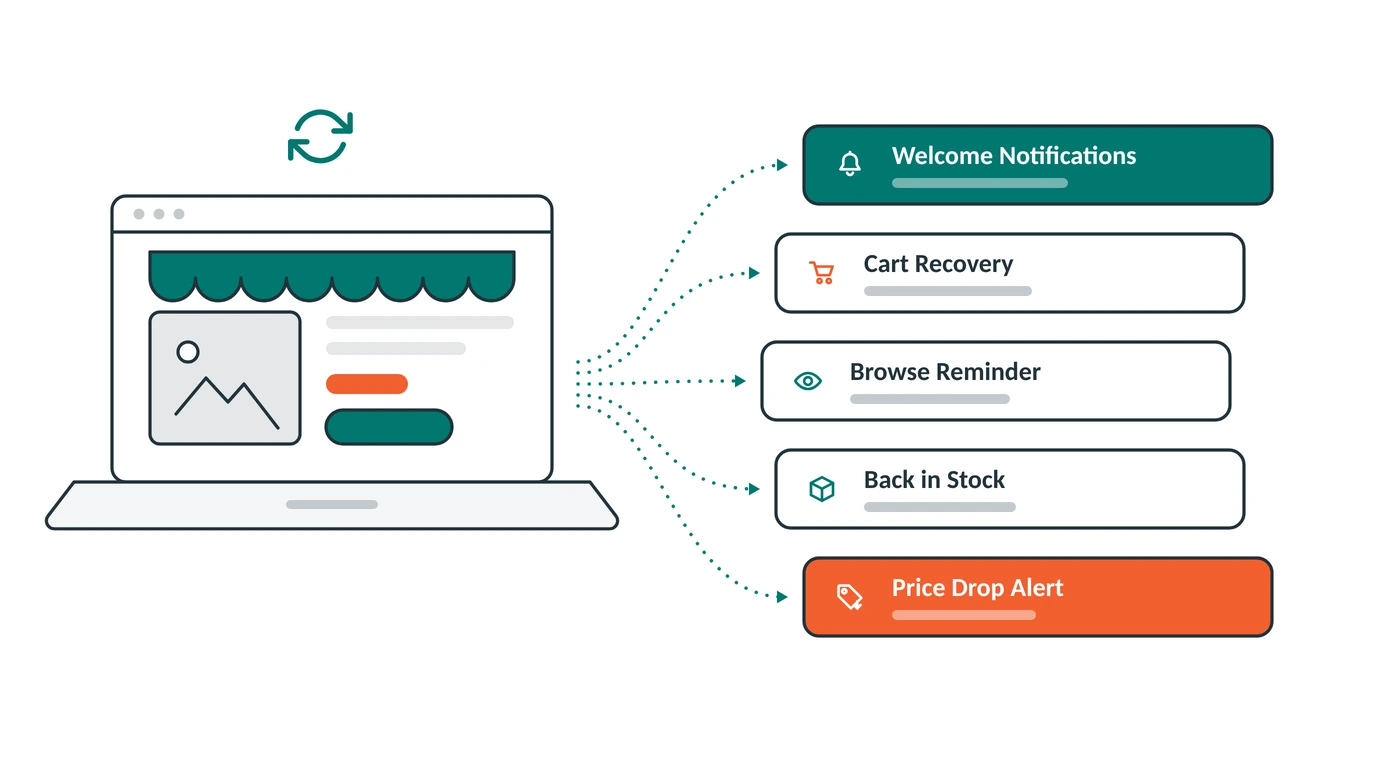
This guide covers the five push automations every Shopify store should turn on, what each one does, and when it sends.
What Is a Push Automation?
A normal push notification is one you send. An automation is one your store sends for you.
Here is the difference. A normal message goes to everyone at once, when you choose. An automation goes to one shopper, at the moment that shopper does something. Puts a product in their cart. Looks at a product page. Says yes to your notifications.
Every automation works the same way:
- Something happens. A shopper does something on your store.
- The clock runs. You pick how long to wait.
- A message goes out. The shopper sees it on their screen.
Some automations send one message. Others send two or three over a few days, so you get more than one chance to bring the shopper back.
The best part is that none of this needs an email address. Push works on people you know nothing about. Someone clicks Allow one time in their browser, and every automation below can reach them from then on. If push is new to you, start with our simple guide to push notifications.
Now let us look at the five.
1. Welcome Notifications
Sends when: someone says yes to your notifications.
A shopper just clicked Allow. Right now they are on your store, looking at your products, and paying attention. This is the most interested they will ever be.
The welcome automation says hello while they still care. It sends three short messages by default. The first goes out right away. The second comes one day later. The third comes one day after that.
That spacing is on purpose. The first message tells them they made a good choice. The next two bring them back to your store over the next few days, so they do not forget you by the weekend.
This is also the easiest place to put a first-order discount, if you give one.
2. Cart Recovery
Sends when: someone puts a product in their cart and leaves without buying.
About 70 out of every 100 shoppers who fill a cart never finish the order. These people were the closest to buying. They picked the product, chose the size, and stopped one step short.
Cart recovery sends three reminders to bring them back. Here is the timing you get by default:
- 20 minutes later: a quick nudge while they are still nearby.
- 2 hours later: a second reminder, in case they got busy.
- 2 days later: one last message before you let it go.
Each message pulls in the product name and product photo on its own, so the shopper sees the exact thing they left behind. The buttons take them straight to checkout, not to your home page.
We go deeper on this one in our Shopify cart recovery guide.
3. Browse Reminder
Sends when: someone looks at a product and leaves without doing anything.
Cart recovery only helps with people who made it to the cart. But for every one of those, many more look at a product and leave without adding anything. They are interested. They are just not ready yet.
The browse reminder catches that much bigger group. It also sends three messages, spread further apart because the shopper is not as close to buying:
- 20 hours later: “You looked at this recently. Take another look.”
- 2 days later: a second nudge.
- 2 days later: a message showing products like it.
One small thing matters a lot here. If that shopper does come back and put something in their cart, the browse reminders stop on their own and cart recovery takes over. The shopper never gets two automations talking to them about the same thing. You do not have to set this up. It just happens.
4. Back in Stock
Sends when: a sold out product a subscriber asked about comes back.
A sold out product page is where money quietly walks away. The shopper wanted to buy. You could not sell it to them. They leave and buy it somewhere else.
This automation turns that page into a waiting list.
A small Notify Me button shows up on your sold out product pages for people who already get your notifications. They tap it, and PingLane starts watching that product for them. The second your stock goes back above zero, a message goes to everyone on that list. Not the next morning. Right then.
Speed is the whole point. Restocked items often sell out again fast, and the people who hear first are the ones who buy. Email alerts sit in a promotions tab for hours. A push message lands on the screen in seconds.
You can change the button colors and text to match your store, so it looks like part of your shop.
5. Price Drop Alert
Sends when: the price of a product a subscriber asked about goes down.
This is the automation almost nobody uses, and it might be the most useful one on the list.
Some shoppers like your product but think it costs too much today. They do not tell you that. They just leave.
An Alert Me button on your product page lets your subscribers ask to hear about it instead. PingLane remembers the price at the moment they tapped, and watches it for them. If your price ever drops below that number, from a sale, a seasonal discount, or a permanent change, they get a message right away.
Two things make this so effective. First, the shopper already told you they want the product, so the message is welcome instead of annoying. Second, you now know which products people think are too costly, which is useful for your whole store, even outside of push notifications.
How to Tell If Your Automations Are Working
Every automation in PingLane shows three numbers:
- Triggered: how many people started the automation.
- Completed: how many went through every step and got all the messages.
- Exited: how many dropped out early, usually because they turned off notifications or the automation no longer applied.
Read them together. A high triggered number with a low completed number is not bad news for cart recovery. It usually means people came back and bought before the last message went out, which is exactly what you want.
You also see clicks and money earned for each automation, so you can tell which ones are bringing in the most sales.
Where to Start
You do not need all five on day one.
When you install PingLane, three are already on: welcome notifications, cart recovery, and browse reminders. They start working as soon as you have subscribers, using messages and timing that are already written for you. You can change the words, the pictures, and the wait time on any step whenever you like.
Back in Stock and Price Drop Alert start off, because both need their button added to your product pages first. Note that this button only shows to people who already get your notifications, so it tells you what your subscribers want rather than bringing you new ones. Turn on Back in Stock if your store runs out of popular items often. Turn on Price Drop if you run sales, or sell things people compare prices on.
Before any of this works, you need subscribers. That comes down to how you ask people to allow notifications, which we cover in our permission prompt guide.
Common Questions
Do I need a developer to set these up? No. All five come ready to go with messages and timing already written. You install the app from the Shopify App Store and they work.
Do shoppers need to give an email address? No. That is the big advantage of push. Someone clicks Allow one time in their browser, and every automation can reach them, even though you never learn who they are.
Can I change the messages and the timing? Yes. You can edit the title, message, photo, buttons, and landing page for every notification. You can set the wait time in minutes, hours, or days. You can also switch off one step without switching off the whole automation.
Will my subscribers get too many messages? The automations are built to stay out of each other’s way. Browse reminders stop on their own once someone fills a cart, and you can set a limit on how many messages one person gets in a set time.
Which one makes the most money? Cart recovery almost always earns the most per message, because it reaches people who were seconds away from buying. Browse reminders usually earn more in total, simply because far more people look than add to cart.
Set Them Up Once, Then Leave Them Alone
The best thing about push automations is that they get better while you do nothing. Every new subscriber you get today makes all five of them worth a little more tomorrow.
Install PingLane from the Shopify App Store and your first three automations start working the same day.